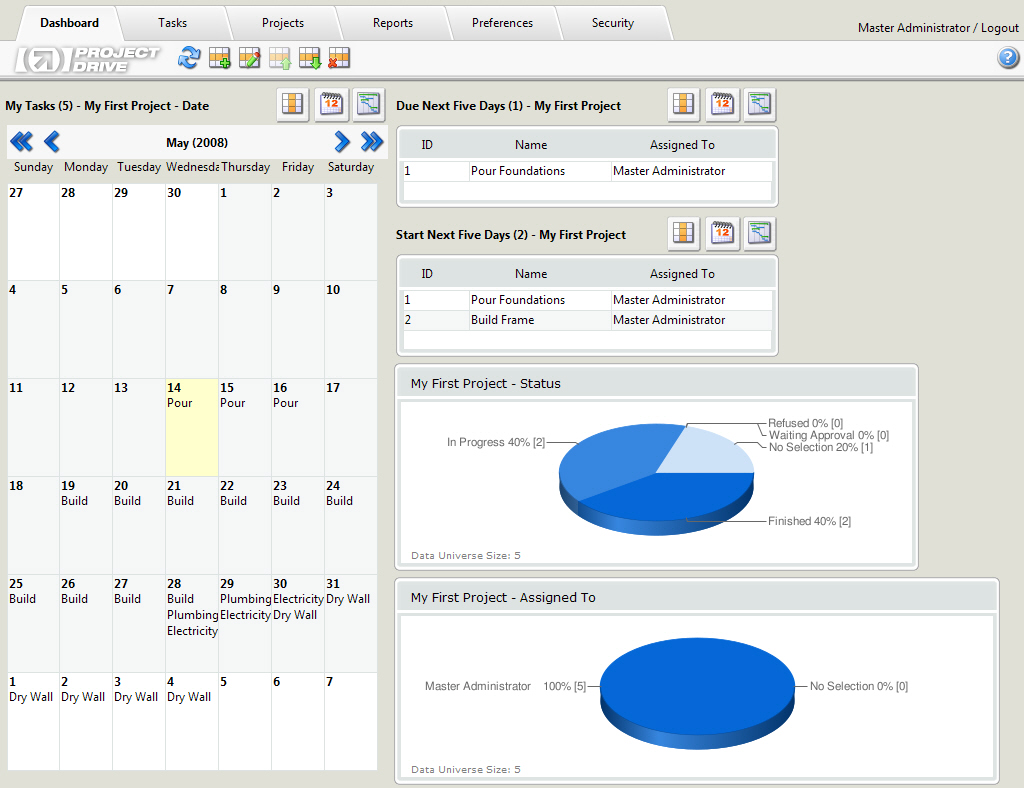
(Click to enlarge)
Project tracking software can be a web-based tool or desktop based tool. Web based project
tracking software can be hosted on the internet or on the intranet. This software is used to
track projects using a number of inbuilt tools such as report generators, integrated calendars,
multiple projects and tracks, scheduling, prioritizing, files upload, etc. It can also be defined
as a tool that enables team managers and project managers to successfully plan, manage and execute
different projects. The software is very useful in tracking the effectiveness of your overall work.
It is also ideal to make the entire workflow transparent and thereby making the clients happy. This
tool centralizes all the information pertaining to the projects and on a single server. This is
useful to any team member who wants to collect information at any point of time during the course of
the project. This software tool is very cost effective and helps one to manage their projects easily.
(Click to enlarge)
The project tracking software that is both responsive and interactive in nature. It can be made to
run on a computer of a single user or shared by a group of users. This software tool that helps you in
effectively tracking and planning projects can also be used to support businesses in an effective, but simple manner.
This tool can also be used to test whether a project management tool is effective or not. As compared to conventional
method of tracking projects, the project tracking software has many benefits. Firstly, the cost of pilot or test
driving software of this kind is either cheap or free. You are free to try it out and see if it serves your
purpose or not. There is no need for you to waste time on slide shows or sales pitches. Secondly, this tool is
user-friendly and can be learnt very quickly. For any software tool to be effective, the stakeholders or the
people involved in handling the tool should understand the purpose and the functionalities of the tool.
If it is a complicated tool, not every one will understand these factors completely. Using these tools with
partial understanding or partial knowledge will only result in more problems. Therefore, if you are looking for
a project tracking software tool, you must spend time to pick the right tool so that your team is capable of
handling the tool easily.
In using project-tracking software, you are not putting your career at risk. This is because in trying
this tool out, you do not have to spend a great deal of capital. Using this tool, team members can
coordinate and collaborate regularly by posting their status of work and feedbacks on tasks done by
other team members. This tool can also be accessed from any web browser by those with appropriate credentials
and access information. Hence, it can also be used to manage collaborators working from different locations.
It does not matter if your collaborators are sub-contractors or telecommuters; a unique place has to be identified
so that all ongoing activities can be centralized. The calendar feature of this tool will give you detailed daily
reports or you can view monthly schedules. You are also free to assign or create events to yourself or others.
Almost all tasks can be carried out from calendar. When a project and all its activities are centralized,
monitoring the progress becomes very easy. This will also enhance the level of control you have on the project.
This also brings in a great amount of transparency and everyone will be forced to put in their best to ensure best results.
Mistakes or muddle ups cannot be suppressed so every stakeholder in the project will be more responsible.
You can also save a lot of your time is using Project tracking software. Moreover, they can
also be implemented as a web based application. This can be accessed later through extranet or
intranet using a web browser of your choice. In using this software, access rights and security
too is guaranteed. As a boss of an organization, you are permitted to access the report and statistics
or an overview of different projects. However, if you are a technician, you can only view assigned tasks.
|